
Apple App or Google Play Store reviews integration is one of the most visible signals of how your app is doing.
But inside most organizations, they sit in a separate world from day-to-day customer support.
- Product teams look at them in store consoles, while marketing tracks ratings and trends. Meanwhile, support teams often see reviews only when someone shares a screenshot.
Meanwhile, customers assume: “I left a review. Someone from the company must have seen it.”
With the new AI-powered Google Play or Apple App store reviews integration with Expertflow CX, you close that gap.
Reviews stop being disconnected data points and become real customer conversations. With AI, teams can respond faster and handle them more consistently.
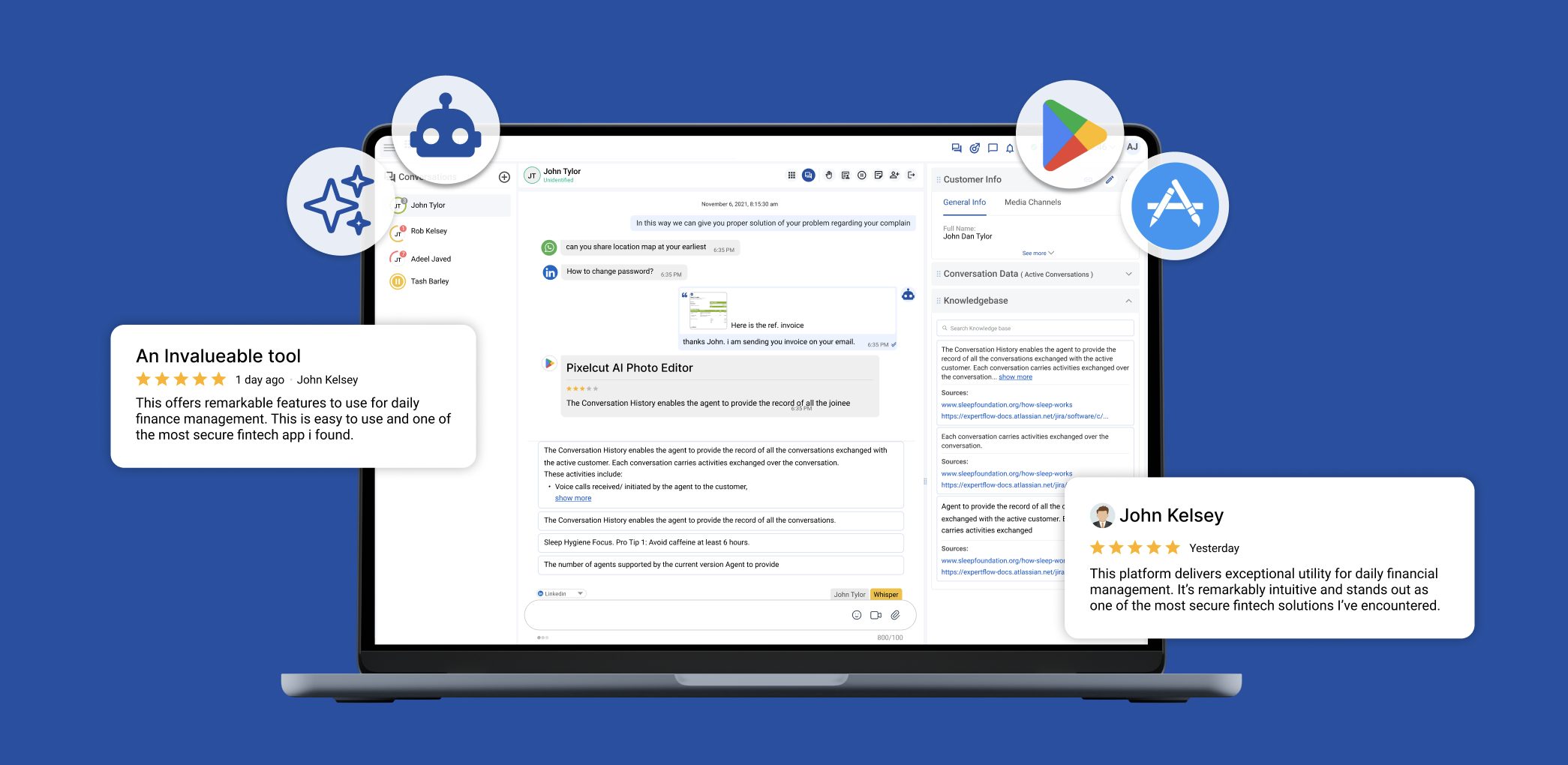
What the Google Play or Apple App Store Reviews Integration Does
The integration brings Google Play or Apple App store reviews into Expertflow CX as a channel:
- Pulls new reviews into Agent Desk as interactions
- Lets agents reply publicly from within Conversation View (where supported by the app store)
- Adds reviews to Channel Session Detail reporting
- Supports AI suggestions, sentiment, routing, etc.
At a high level, you will:
- Create and configure a Google or Apple service account
- Add Google Play or Apple App Store as channels in Unified Admin
- Start handling reviews from Agent Desk, just like chats or emails
How Agents Work with Reviews in Agent Desk
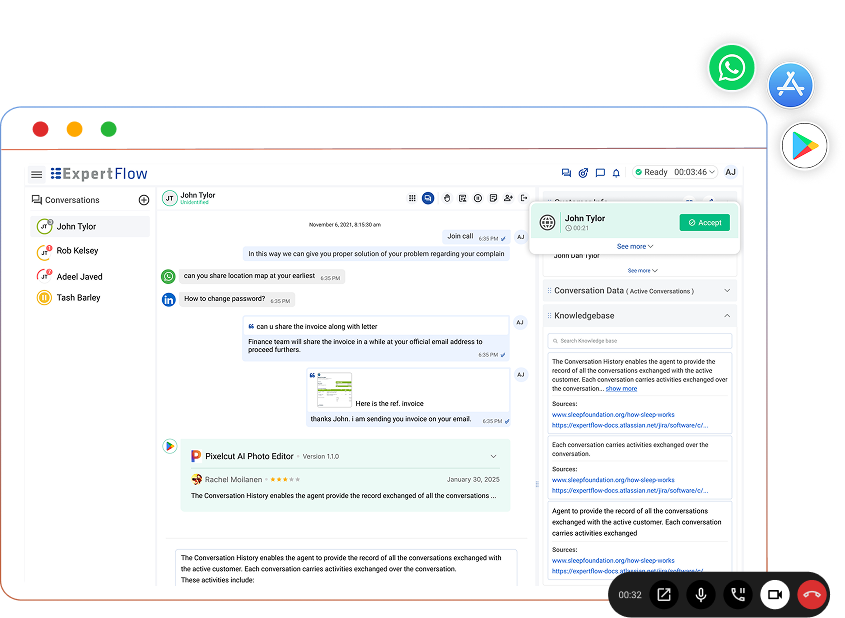
Once configured, every new review shows up in Agent Desk, where your team already works.
Each review includes:
- Star ratings
- Review text
- App name and app logo
- Timestamps for when the review was submitted or updated
Agents get instant context to understand the tone, severity, and topic before responding.
Inside Conversation View, agents can:
- Read the review with full context
- Send a public reply that goes straight to the respective Google Play or Apple App store
- Collaborate internally if they need input from product, engineering, or marketing
To your team, it’s just another interaction in Agent Desk.
To the user, it’s a timely, thoughtful response to their public review on the app store they use (Google Play or Apple App Store).
Add AI to Handle Reviews Faster and more Consistent
Use built-in AI to speed up responses, keep tone consistent, and reduce manual work across your review flow:
- Auto-acknowledgement and auto-reply
- Intent-based routing
- AI agent assist (next best actions)
- Automatic case/issue creation (e.g., Jira Service Management / Salesforce)
- Automatic translation
- Conversation summarization and sentiment tagging
- Sentiment-based routing and prioritization
Measure Impact with Channel Session Detail Reporting
Handling reviews is only one part; measuring how you handle them is just as important.
Every app store review interaction is captured in the Channel Session Detail report:
- Volume of incoming reviews over time
- Response and handling patterns
- Which queues or teams handle which types of feedback
With this visibility, you can:
- Catch spikes in negative feedback after a new release
- See how quickly your team responds to public reviews
- Understand how much capacity goes into managing app reputation
Why This Matters for CX and App Reputation
Bringing Play Store reviews into Expertflow CX is more than a convenience feature.
Agents
- One workspace (Agent Desk) for chat, email, messaging, and App reviews
- Less context switching and fewer tools to manage
- Shared guidelines, macros, and QA processes across all digital channels
Customers
- Faster responses where they chose to speak up, on the reviews
- A consistent brand voice across app, web, and support channels
- A clear sense that their feedback is actually seen and acted on
For product and business
- Structured insights from real user feedback, tied into your CX reports
- Clear signals on which releases or features drive specific complaints or praise
- The ability to move from simply “watching ratings” to actively shaping them through better responses and faster fixes
And because it’s part of your existing Expertflow CX deployment:
- Access and actions follow your roles and permissions
- Replies are logged and auditable
- You can apply the same quality and compliance checks you use on other channels
You get contact-center-grade control on one of your most visible feedback surfaces.
Getting Started
If you already use Expertflow CX, connecting Google Play and Apple App store reviews takes a few steps :
Step1: Set up your Google or Apple service account
- Guide for Google Play Store Onboarding
- Guide for Apple App Store Onboarding
Step 2: Add Google Play or Apple App Store as a channel in Unified Admin
Define routing, queues, and handling rules like any other digital channel.
- Guide for Google Play Store Channel Configurations
- Guide for Apple App Store Channel Configurations
Step 3: Verify reporting via Channel Session Detail
- Confirm reviews and replies appear correctly in your reporting.
- Guide for Channel Session Detail Report
From there, app reviews become what they should have been all along: a first-class customer channel in your CX platform.
You meet users where they are, respond on the surface that shapes your ratings, and feed those conversations back into how you build and improve your app, without leaving Expertflow CX.