
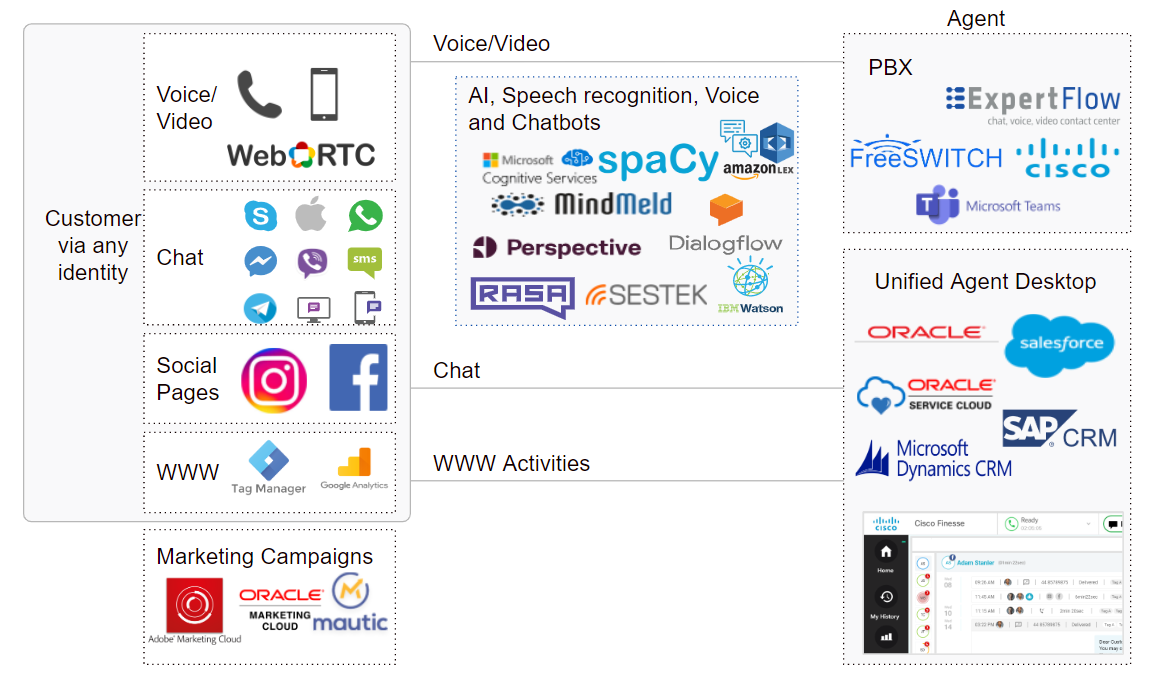
Deliver customer service by human agents and digital assistants over voice, chat, video, web and social media in parallel
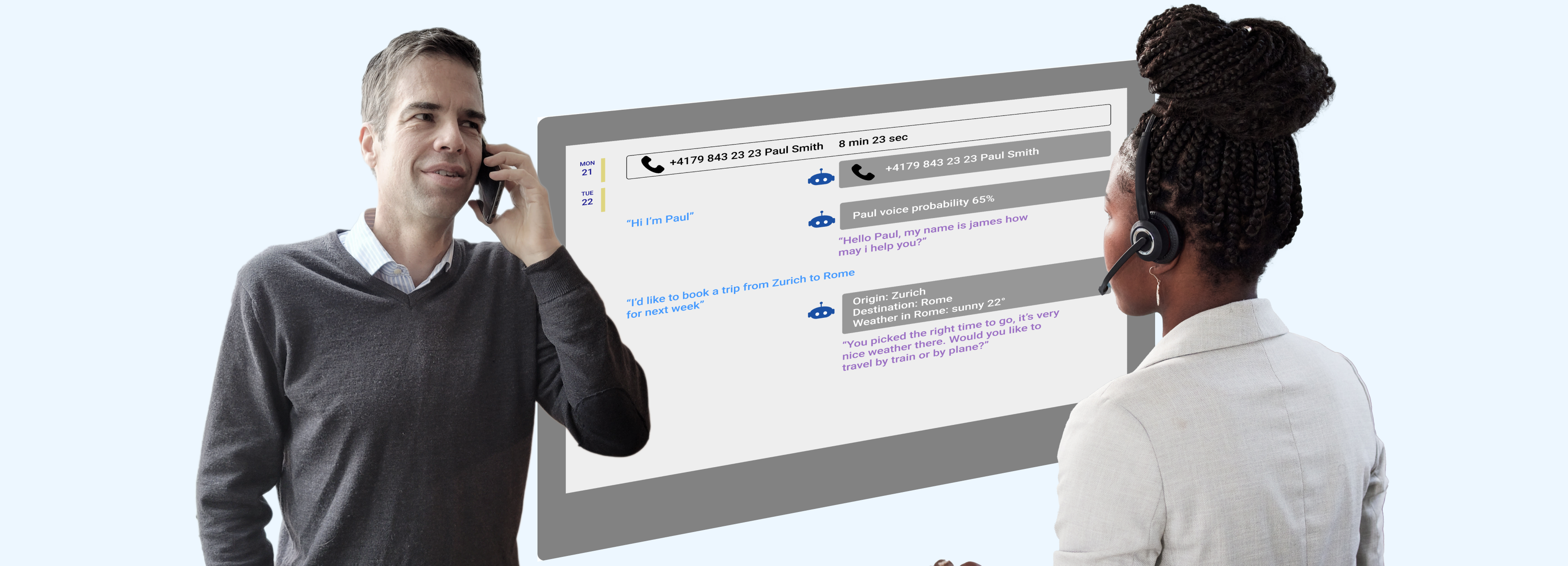
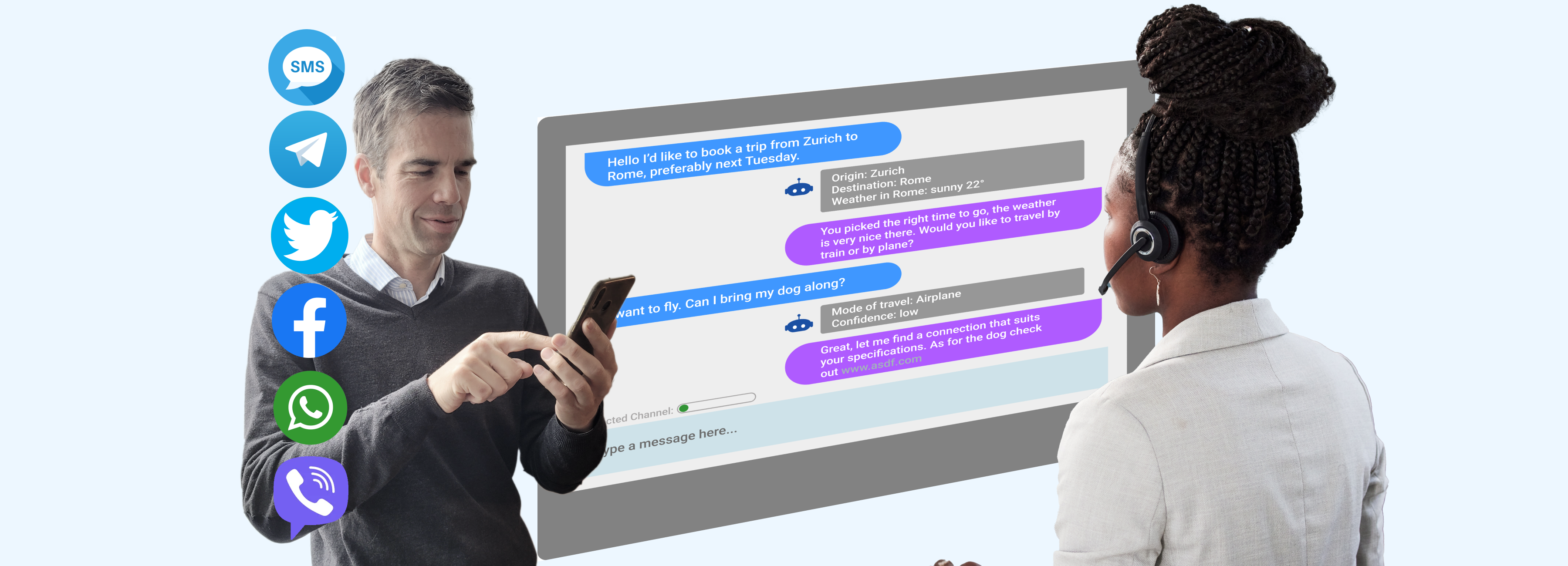
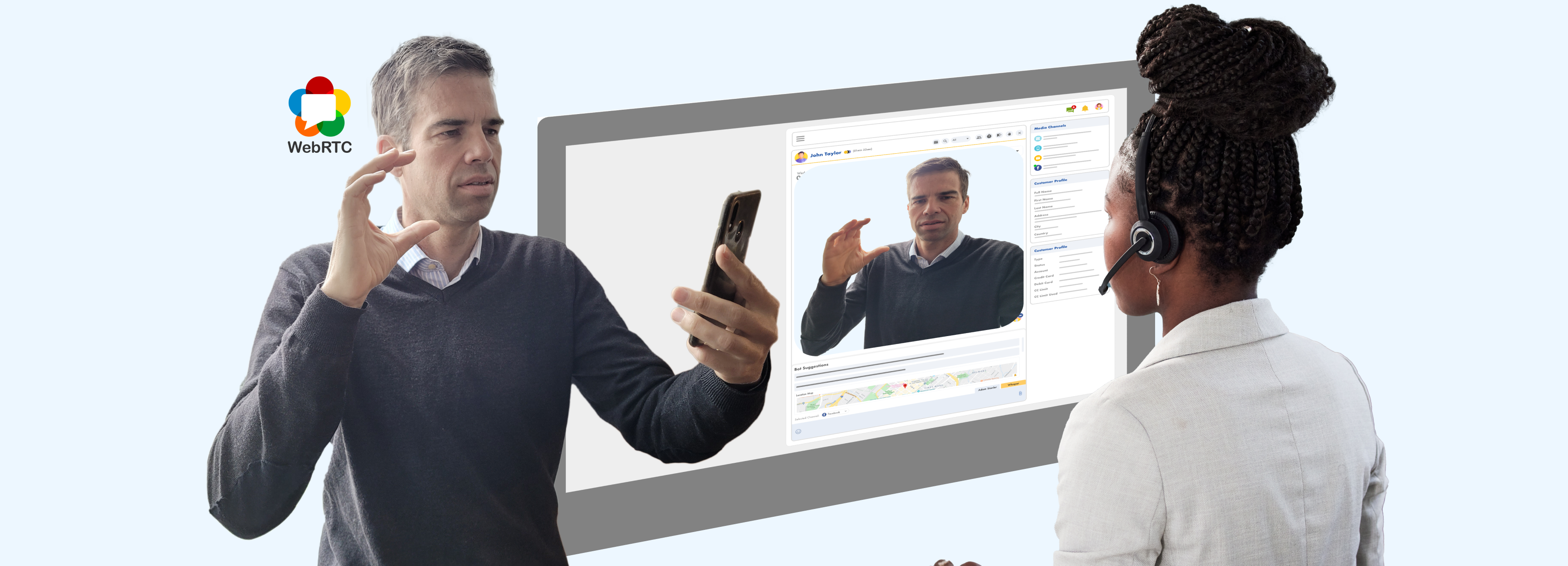


Conference AI engines of your choice into customer interactions (voice, video, chat)
Automate routine chat and voice interactions or assist agents in real time.
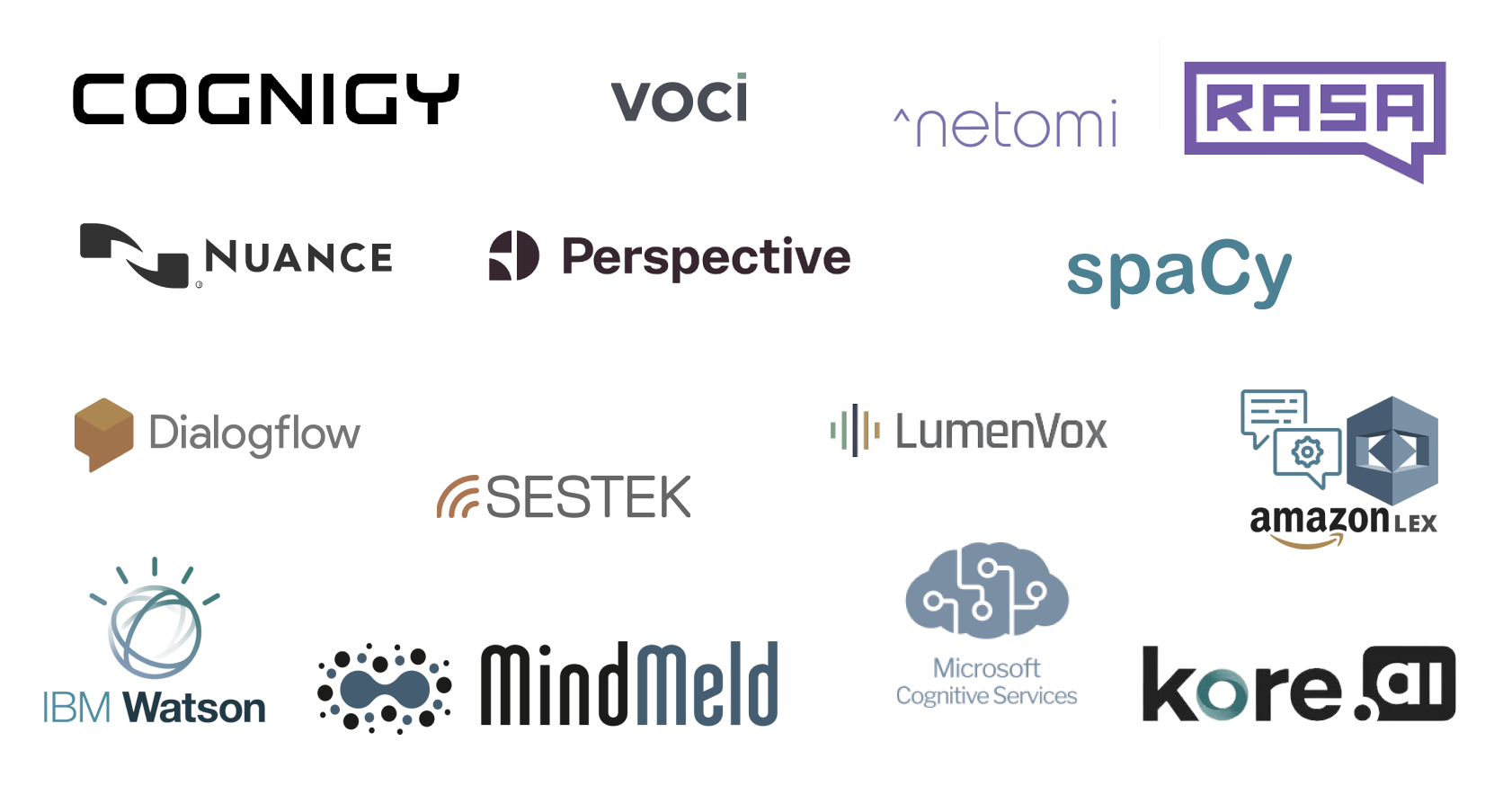
Expertflow connects AI engines of your choice to:
- recognize speech with a conversational IVR
- extract meaning with Natural Language Understanding
- counter toxic language
- transcribe and translate
- detect emotions
- authentify callers with voice or face biometrics
- retrieve content of Fax and paper documents
Agents can access the contact center via a simple web browser...
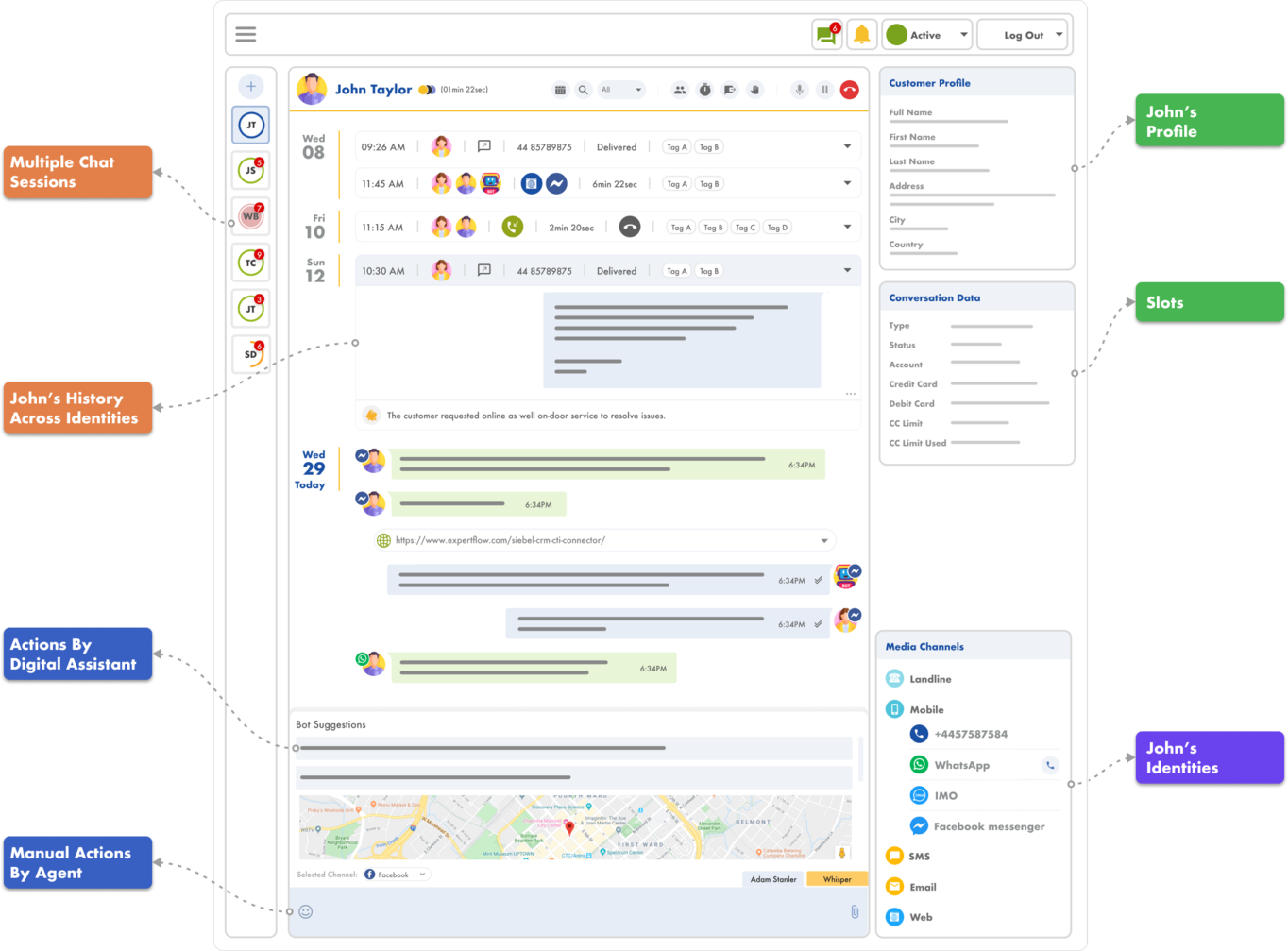
... or embedded within major CRM solutions






Use Expertflow's cloud UC, or leverage your existing telephony assets:




Build customer relationships with digital marketing and outbound campaigns across all channels



Tie Everything Together
Our valued customers
"We are pleased with the expertise and professionalism of the Expertflow team. Its products have improved our customer services enabling agents with tools to respond more efficiently. The self-service IVR & chat provides automated responses based on customer’s profile and knowledgebase thus reducing average handle time."

"Air Products South Africa (Pty) Ltd decided to deploy Expertflow's voice recording solution. It was very cost-effective and the deployment was smooth and quick. The system has delivered to our expectations and has been running for over a year now without a single incident. We highly recommend this solution."

"We are very pleased, and happy to work with your company on this SFDC connector project, the system runs well and is stable. We appreciate your support and services, that we got from your company. We hope to work with you on further projects in the future."
"The Missouri Poison Center is 24/7 contact center. We implemented ExpertFlow Hybrid Chat in 2019. The company culture, from the CEO to the helpdesk, strive for customer’s success. Everyone was proactive and eager to assists us in ideas, solutions, and customization. We presented the company with many workflow needs during the design, implementation, and support phases; the ExpertFlow team delivered enhancements in a consistent manner. We are pleased with the company culture and continue investing in their products and services."

As a Partner, we find Expertflow very professional and helpful during the sales process. We have successfully delivered Expertflow products to customers who are satisfied with the value added to their Cisco Contact Center with multichannel capabilities.
We provide the expert plumbing you need to connect all your assets
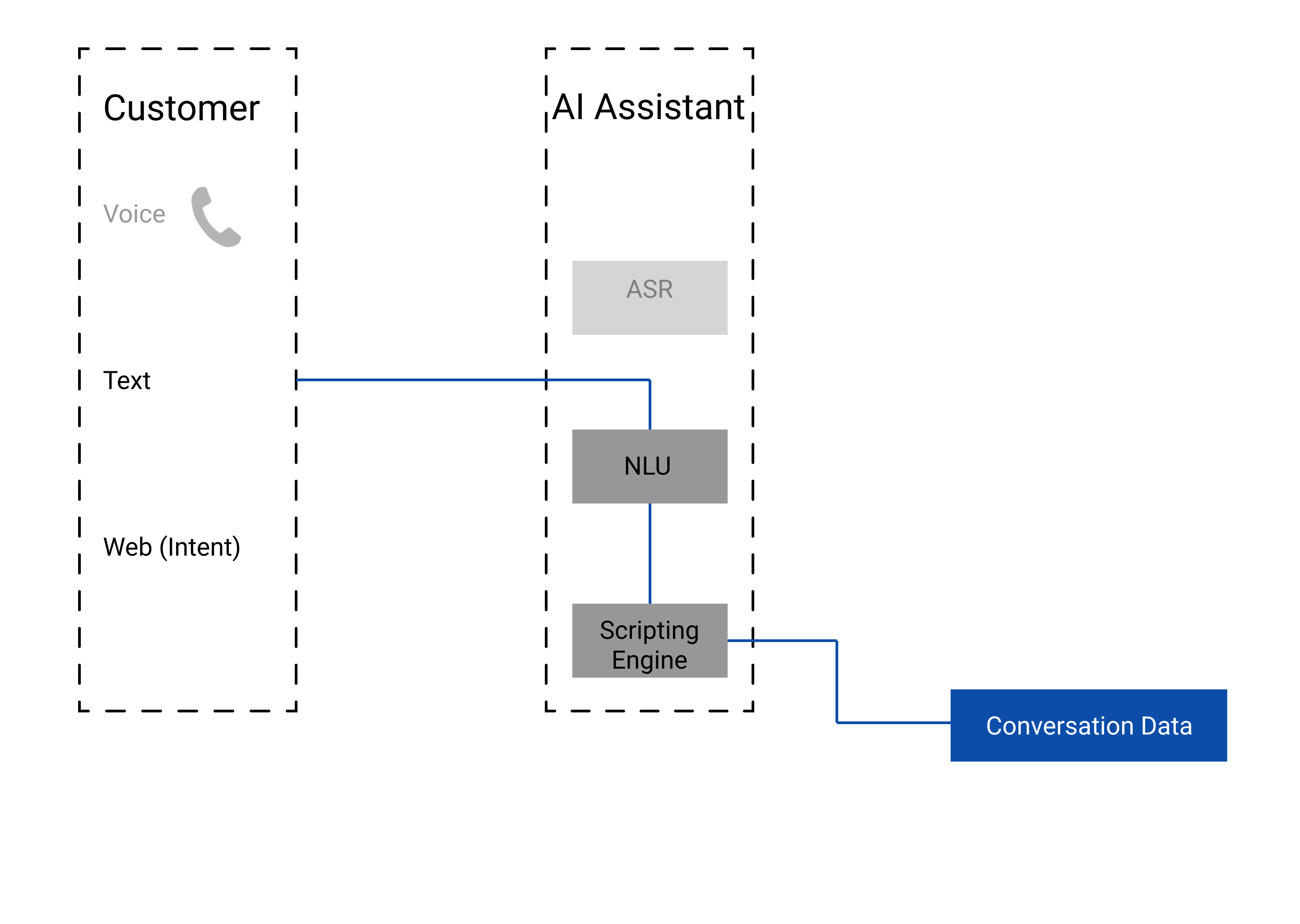
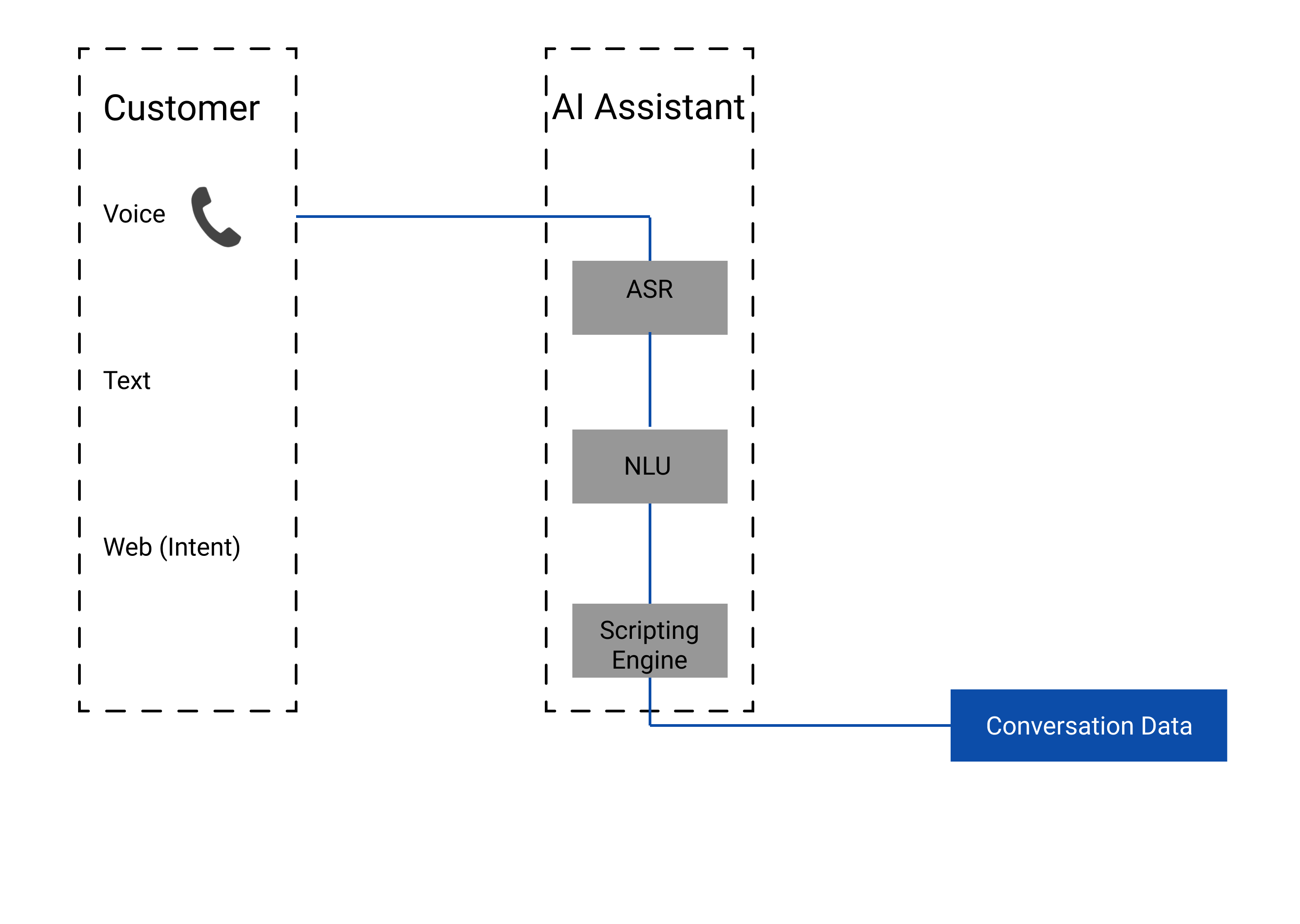
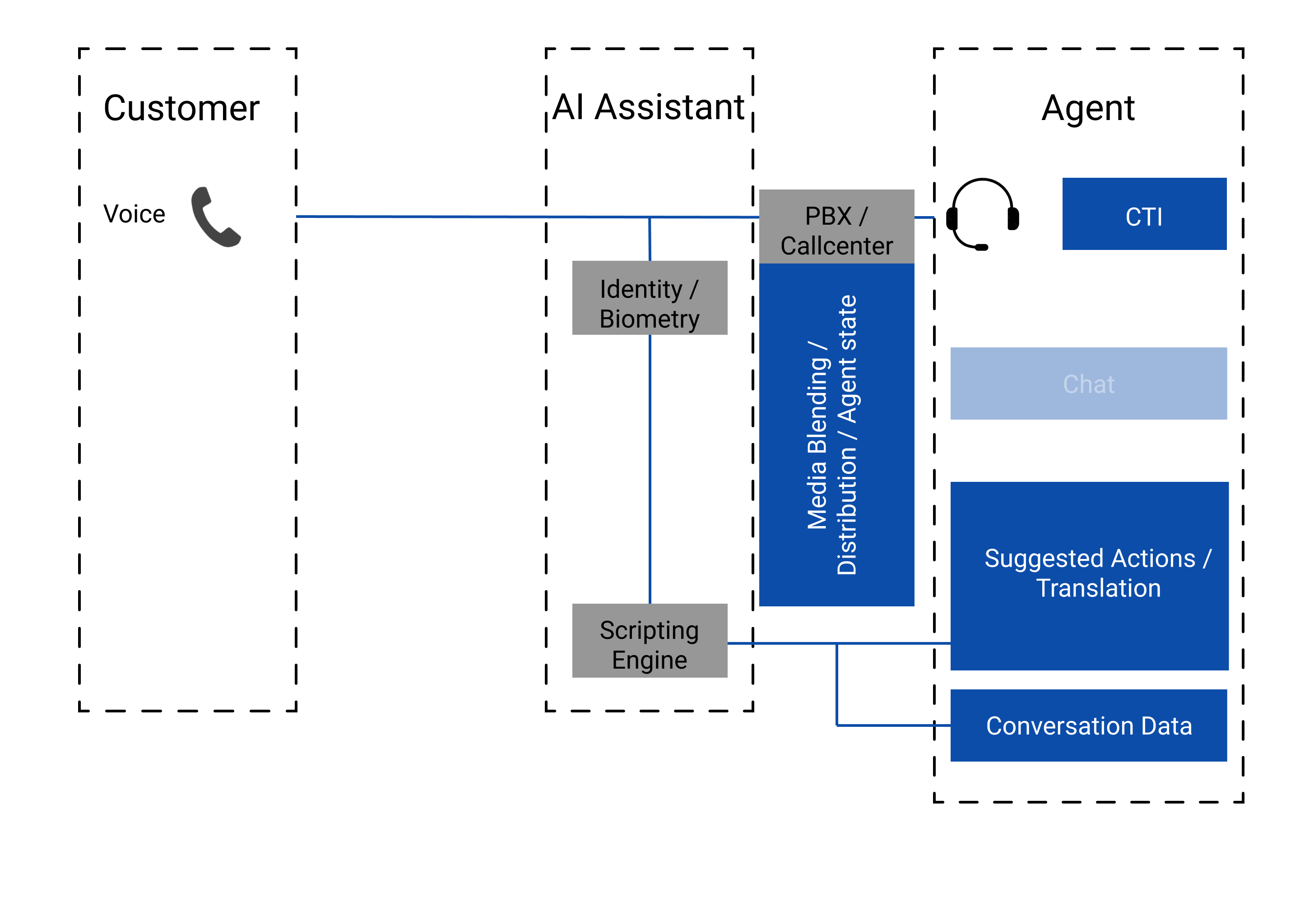
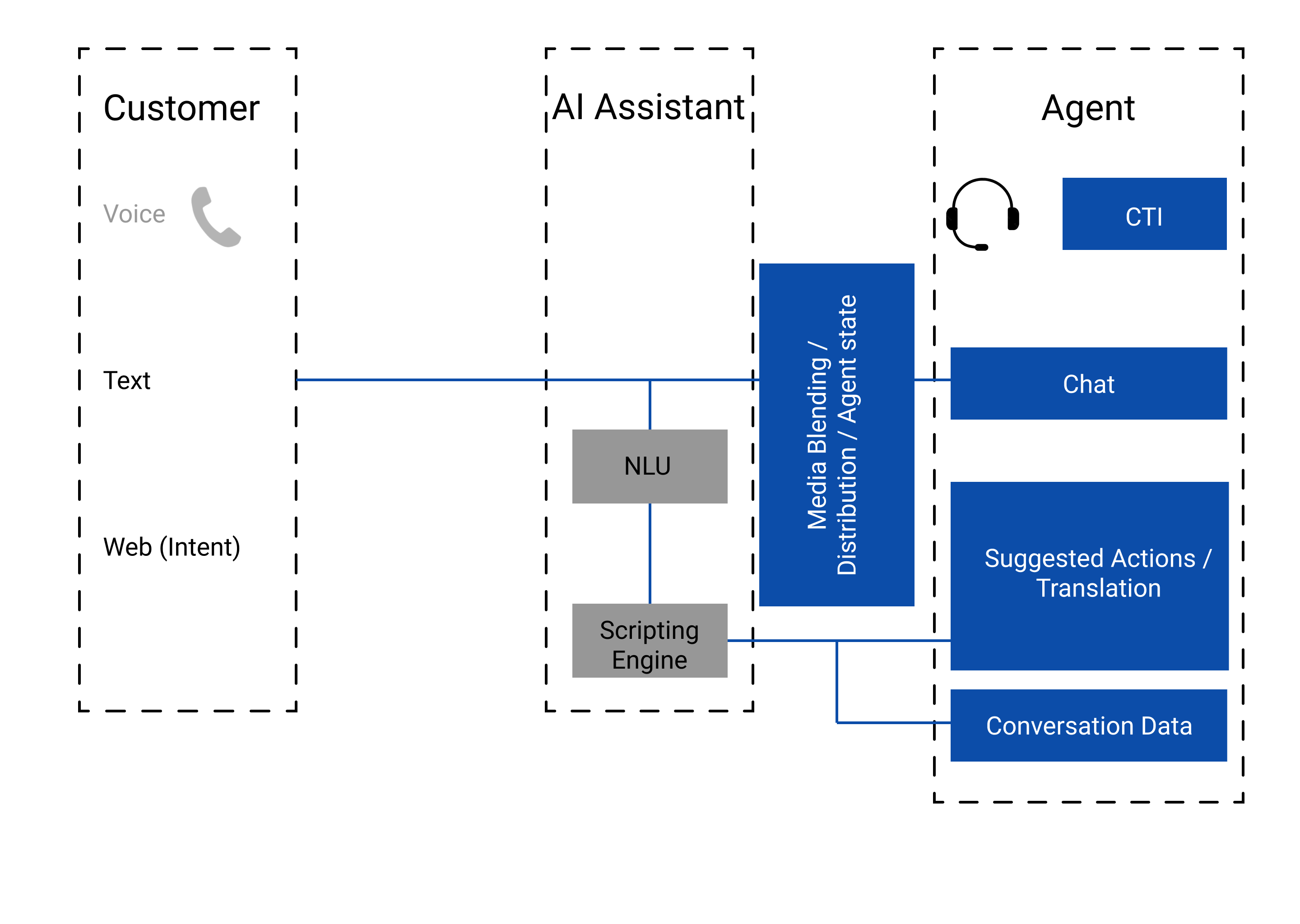
agents with context relevant activities and information
Conversation Data
Enrich a customer interaction by gathering and sharing information across components/ bots
- before a chat or call on a website (using tag management), chatbot (“slots”) or IVR from the customer
- during the interaction by the agent or customer such as agent guidance forms
- after an interaction by the client (post collaboration (satisfaction) survey), agent (call tagging) or supervisor (QA score to a voice recording)
Create reports and statistics from slots to detect long-term trends on either customers or agents.